What is a picking trolley?
The trolley
A picking trolley is a cart on wheels with a number of boxes on it. It lets a picker collect multiple orders in one walk round the warehouse, with each order kept in its own box.
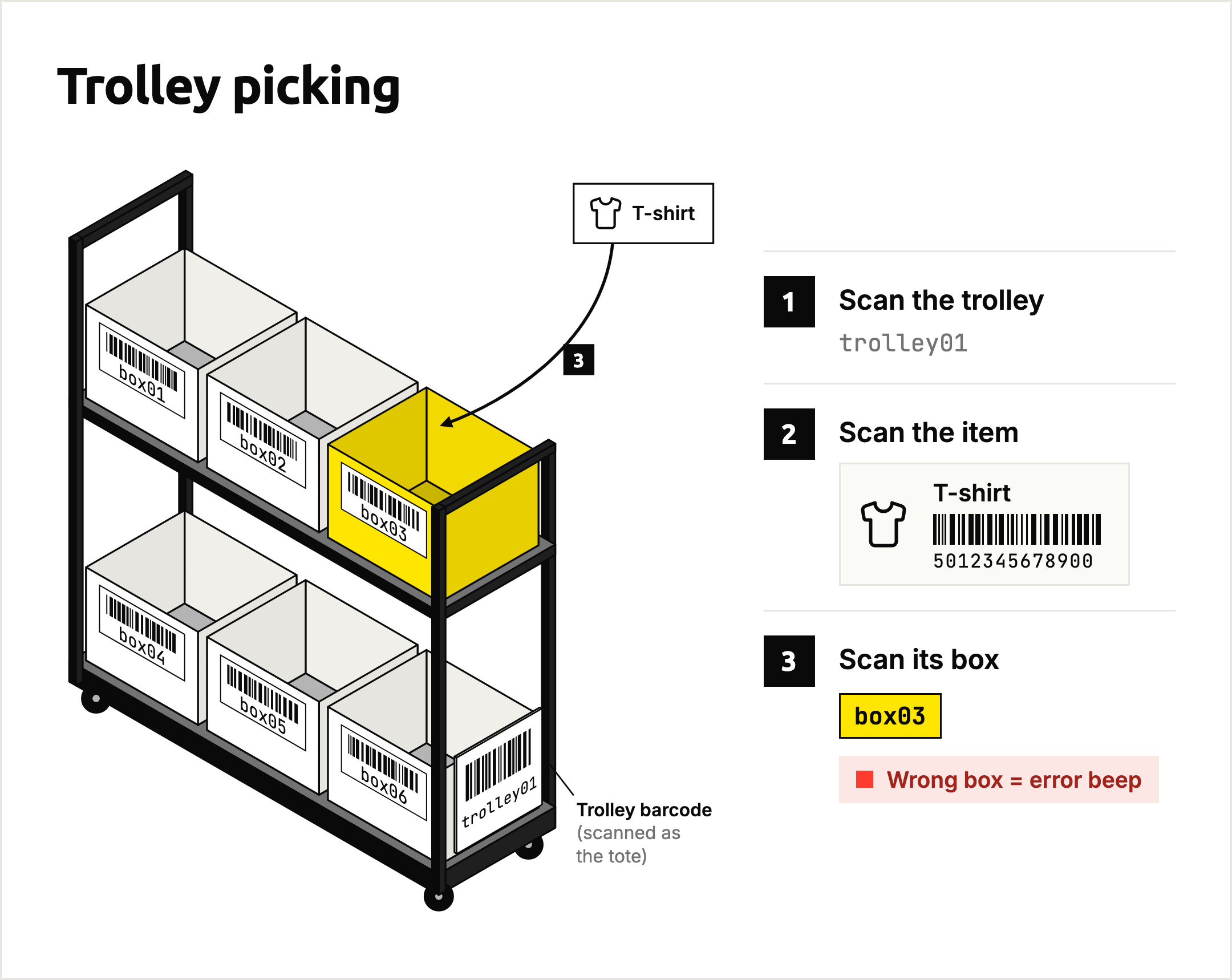
trolley01 with six boxes, box01 to box06. Each box holds one order.Barcodes on a trolley
Everything on the trolley has a barcode label, so the handheld can check each item goes in the right place.
- The trolley has its own barcode, for example
trolley01,trolley02. Pickscan treats it like a tote: you scan it when you start a batch. - Each box has a barcode:
box01,box02,box03and so on, up to the number of boxes on the trolley. Every trolley uses the same box labels.
Print the labels exactly as shown, in lower case: box01, not BOX01. The handheld checks every scan against them.
How a trolley is used
- Scan the trolley
Open a multi-item batch on the handheld and scan the trolley's barcode,
trolley01. - Scan each item, then its box
For each item, the handheld shows
SCAN ITEM, thenSCAN BOXwith the box it belongs in, for examplebox03. Put the item in that box and scan the box label. A wrong box gives an error beep. - Pack box by box
At the packing bench, scan the trolley, then a box, and that box's order opens ready to pack.
Each box only ever holds one order, and an order never spans two boxes. By the time the picker gets back, every order is already sorted.
Setting Pickscan up for this trolley
Using the trolley above as an example: it has six boxes, so each batch of multi-item orders should hold up to six orders. In Pickscan in Linnworks, go to Settings, Picking Settings, and set:
Use batch/wave picking: on.Batch Picking Mode:Pickscan. Trolley boxes don't apply to Linnworks pick waves.Use Trolley Boxes For Multi-Item Orders: on.Boxes Per Trolley:6, the number of boxes on the trolley.
Then label the trolley trolley01 and its boxes box01 to box06. If you have more trolleys of the same size, label them trolley02, trolley03 and so on, with the same box labels on each.
From the next batch build, each multi-item batch holds up to six orders, one per box. If your trolleys have a different number of boxes, set Boxes Per Trolley to match.